Some keyboard shortcuts:
- a: open cell above
- b: open cell below
- c: copy cell
- v: paste cell below
Numpy Arrays:
import micropip
await micropip.install("numpy")

import numpy as np

# example
array1 = np.array([1,2,3,4,5])
array2 = np.array([6,7,8,9,10])
matrix1 = np.array([array1, array2])
print(matrix1)

'''

[[ 1 2 3 4 5]
[ 6 7 8 9 10]]

'''
the slice operator can be used in each dimension of the matrix to subset it.
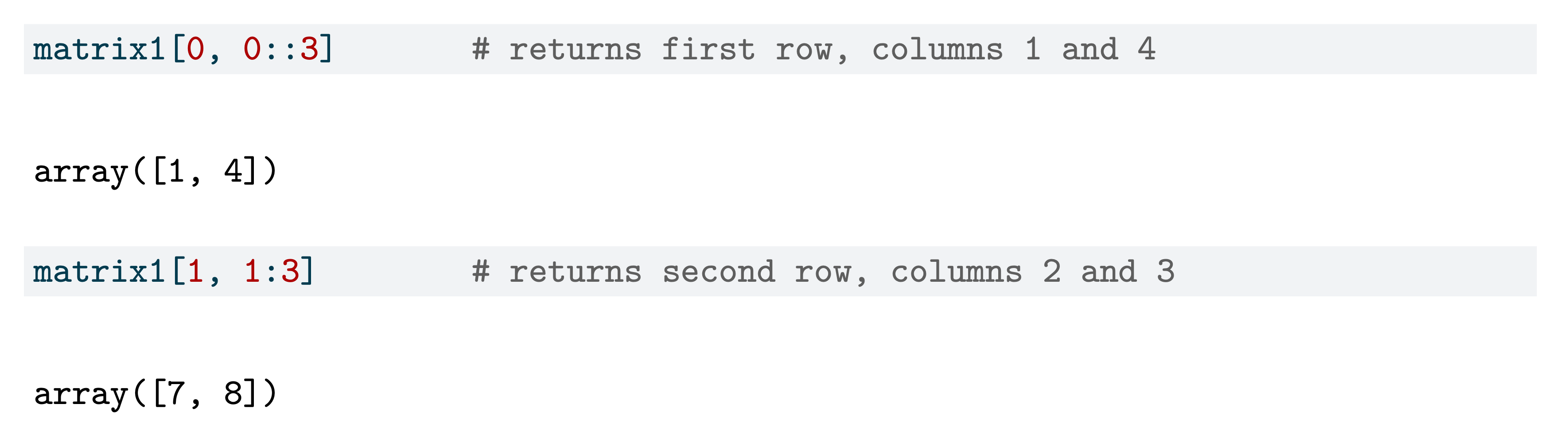
some attributes of numpy arrays:
# to obtain the dimensions of an array
matrix1.shape    # (2,5)

# to transpose a 2D array
matrix1.T

'''

array([[1,6],
	   [2,7],
	   [3,8],
	   [4,9],
	   [5,10]])

'''
some common methods associated with numpy arrays:
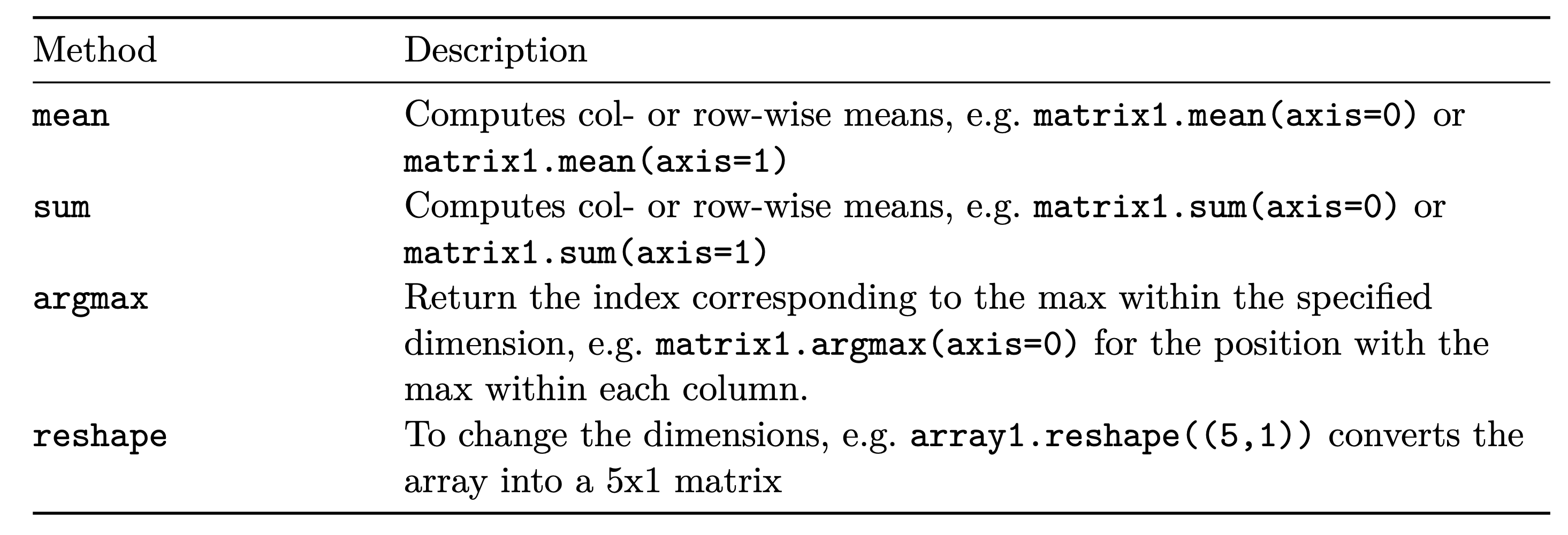
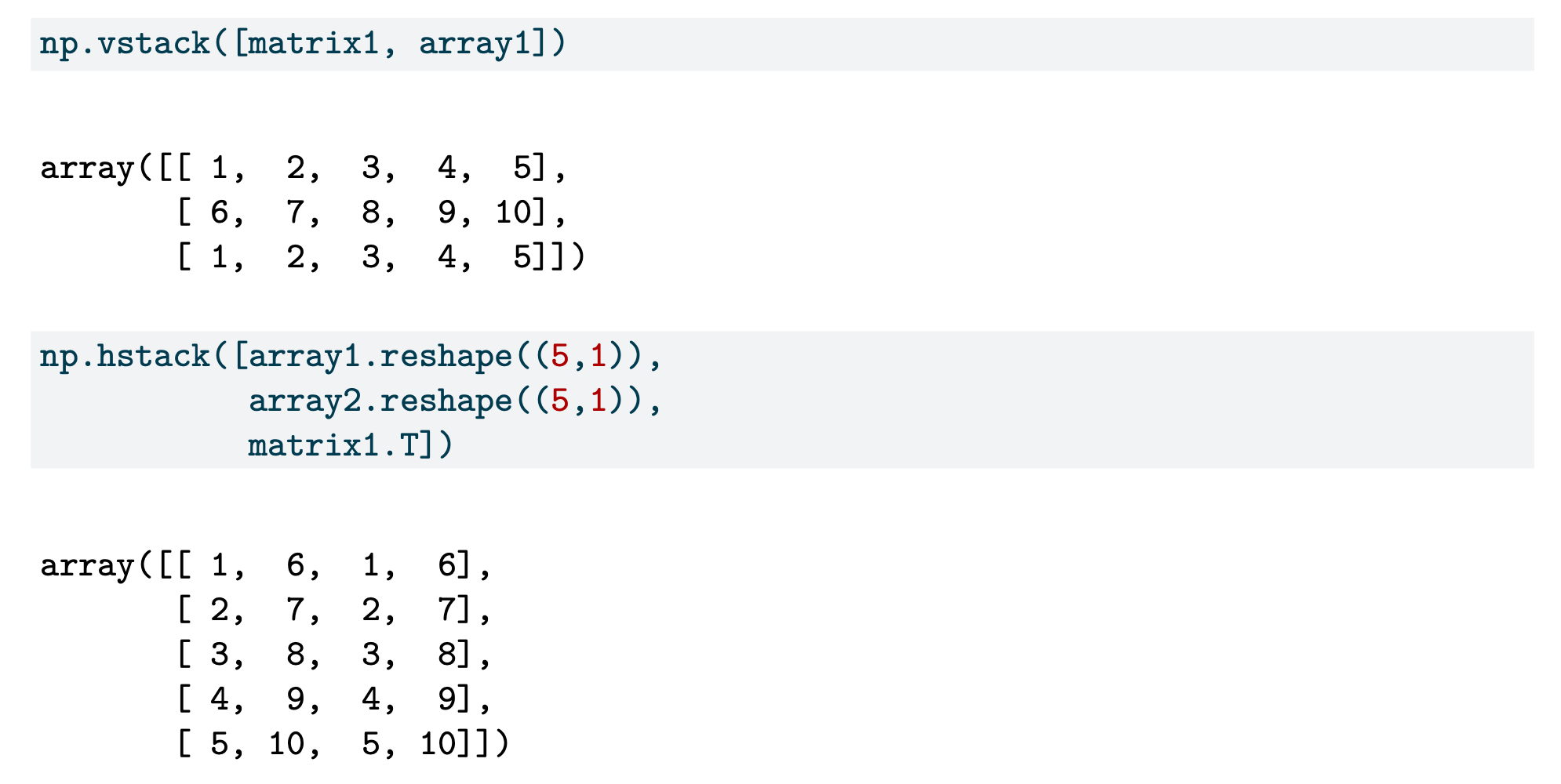
to combine arrays, we use the functions vstack and hstack. these are analogous to rbind and cbind in R.
Pandas DataFrames:
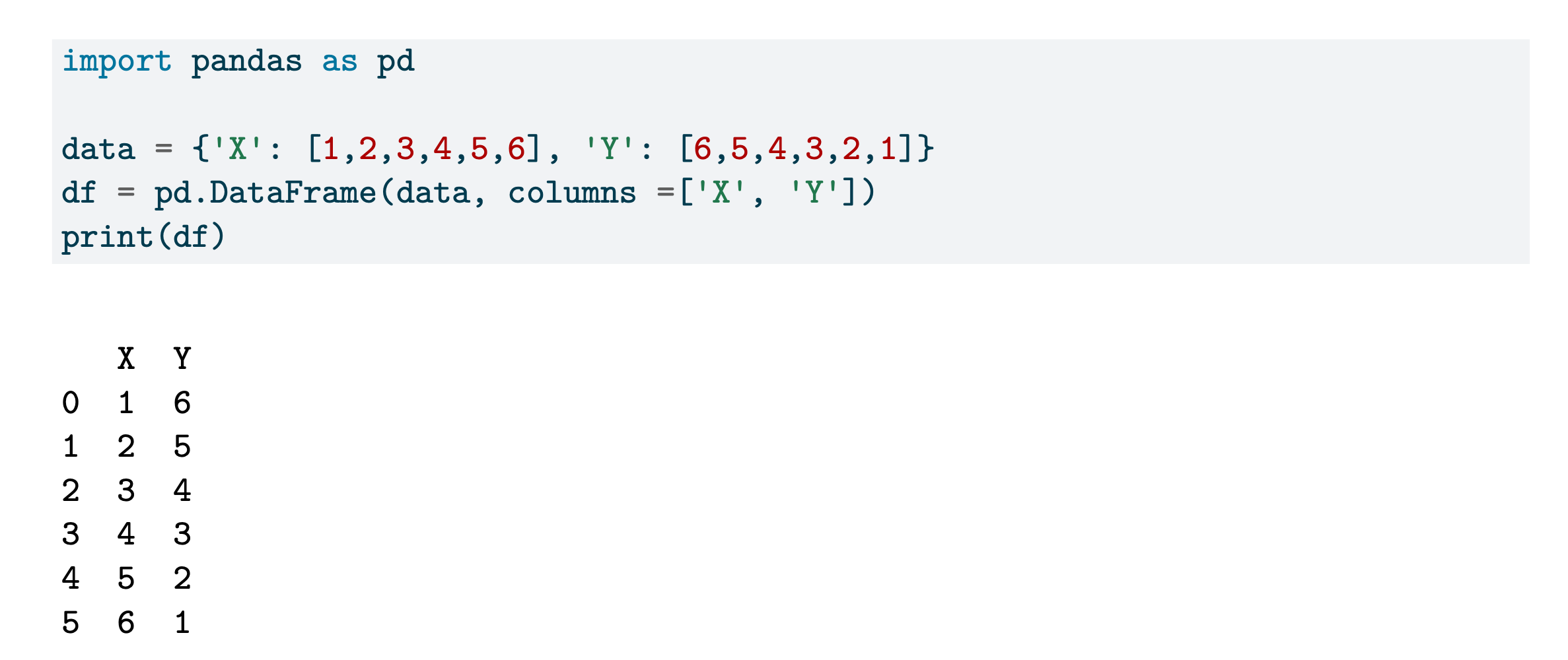
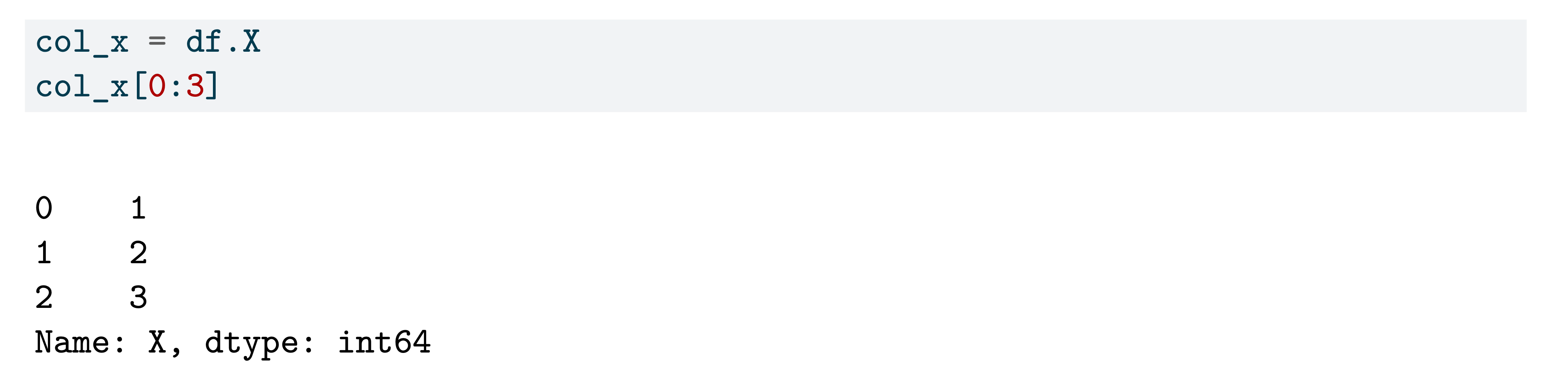
here is how we can extract a single column from the dataframe. the resulting object is a pandas Series, which is a lot like a 1D array, and can be indexed like one as well.
Reading Data into Python:
# file contained headings, and cols separated by spaces
data1 = pd.read_table('data/crab.txt', header=0, sep="\\s+")
data1.head()   # heaad() is a method belonging to the DataFrame object

# when the file does not contain col names, we can supply them
# (as a list of numpy array)
varnames = ["Subject", "Gender", "CA1", "CA2", "HW"]
data2 = pd.read_table('data1/ex_1.txt', header=None, names=varnames, sep="\\s+")
Subsetting DataFrames with Pandas:
DataFrames in pandas are indexed for efficient searching and retrieval. When subsetting them, we have to add either .loc or .iloc and use it with square brackets.
the .loc notation is used when we wish to index rows and cols according to their names
# retrieve rows 0,1,2 and cols from color to width
data1.loc[0:2, 'color':'width']

# retrieve every second row starting from row 0 until row 5 & all cols
data1.loc[0:5:2, ]
the .iloc notation is used when we wish to index rows and cols using integer values.
data1.iloc[0:2, 0:2]notice that for .iloc , the end point is not included in the output.
on the other hand, .loc includes the end point.
in data analysis, a common requirement is to subset a dataframe according to values in columns. just like in R, this is achieved with logical values.
data2[data2.Gender == "M"]
data2[(data2.Gender == "M") & (data2.CA2 > 85)]
Loops in Python:
the np.arange() function generates evenly spaced integers.
for y in np.arange(1,7):
	print(f"The square of {y} is {y**2:2d})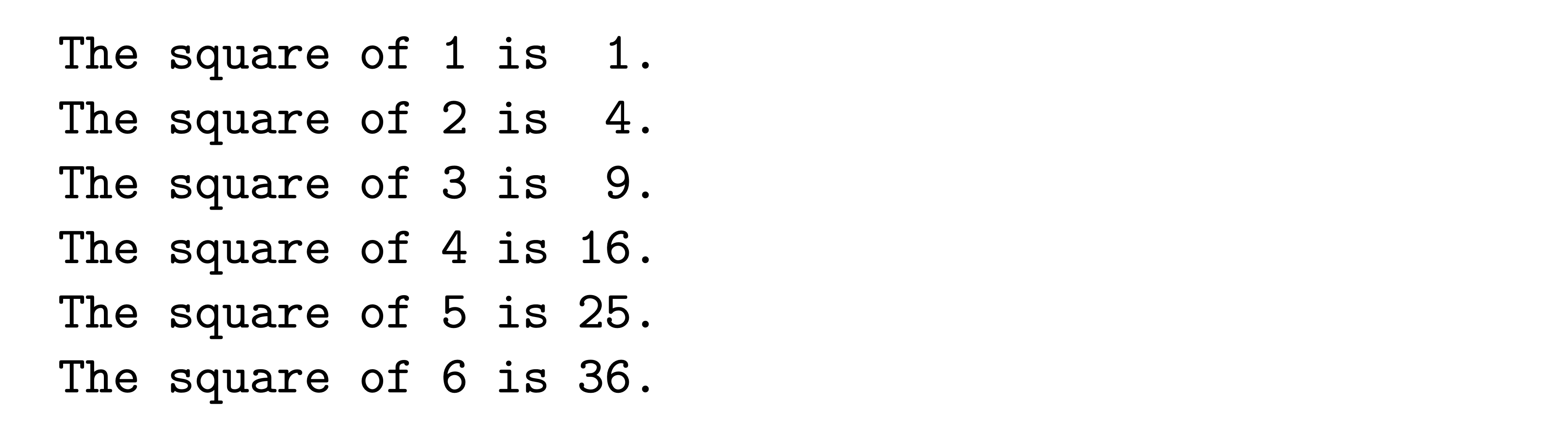
stuff not in lec notes:
Jupyter Notebook Keyboard Shortcuts
Critical Shortcuts (repeatedly emphasized in lecture):
Shift + R: Toggle between side-by-side and below renderingA: Insert cell above (escape mode)B: Insert cell below (escape mode)J/K: Navigate up/down like vim (escape mode)DD: Delete cell (escape mode twice)CthenV: Copy and paste cellCtrl + Shift + Minus: Split cell at cursor positionShift + J/K: Highlight multiple cellsShift + M: Merge highlighted cellsM: Convert to markdown (escape mode)Escape: Exit edit mode into command mode
Magic Commands:
%hist/%history: Retrieve previous commands%hist -l: Last 10 commands with execution numbers%recall <number>: Retrieve specific command%ls: List files in current directory%run <script.py>: Run Python script from notebook%who/%whos: List variables in workspacedir(object): Show all methods/attributes
Slice Operator
- general python rule: endpoint not included (eg. 0:3 returns 0,1,2)
- Exception: in pandas
.loc[], endpoint IS INCLUDED :LiStar:
Negative Indexing
- in R: negative indexing DROPS the element
- in Python: negative indexing ACCESSES from the end
- -1 in python gets last element, in R it drops first element
Reshaping with -1
- using -1 in one dimension auto-calculates that dimension
- python calculates that dimension automatically based on the number of elements, and the other dimension specified
array.reshape(-1,1)makes column vector
Numpy Memory Efficiency:
- numpy requires same type for all elements, unlike lists
- thus, efficient storage
- lists are “loose collections” and inefficient
Series vs DataFrame:
- extracting a single column returns a Series (NOT a DataFrame)
- Series is like a one-dimensional DataFrame
- still has index, but no column name
Confusion for.loc vs .iloc :
- .loc : uses index / column NAMES, includes endpoint in slices
- iloc : uses integer POSITIONS, excludes endpoint